Everything served straight from your own network — and it installs on your phone like a native app.
Live energy flows
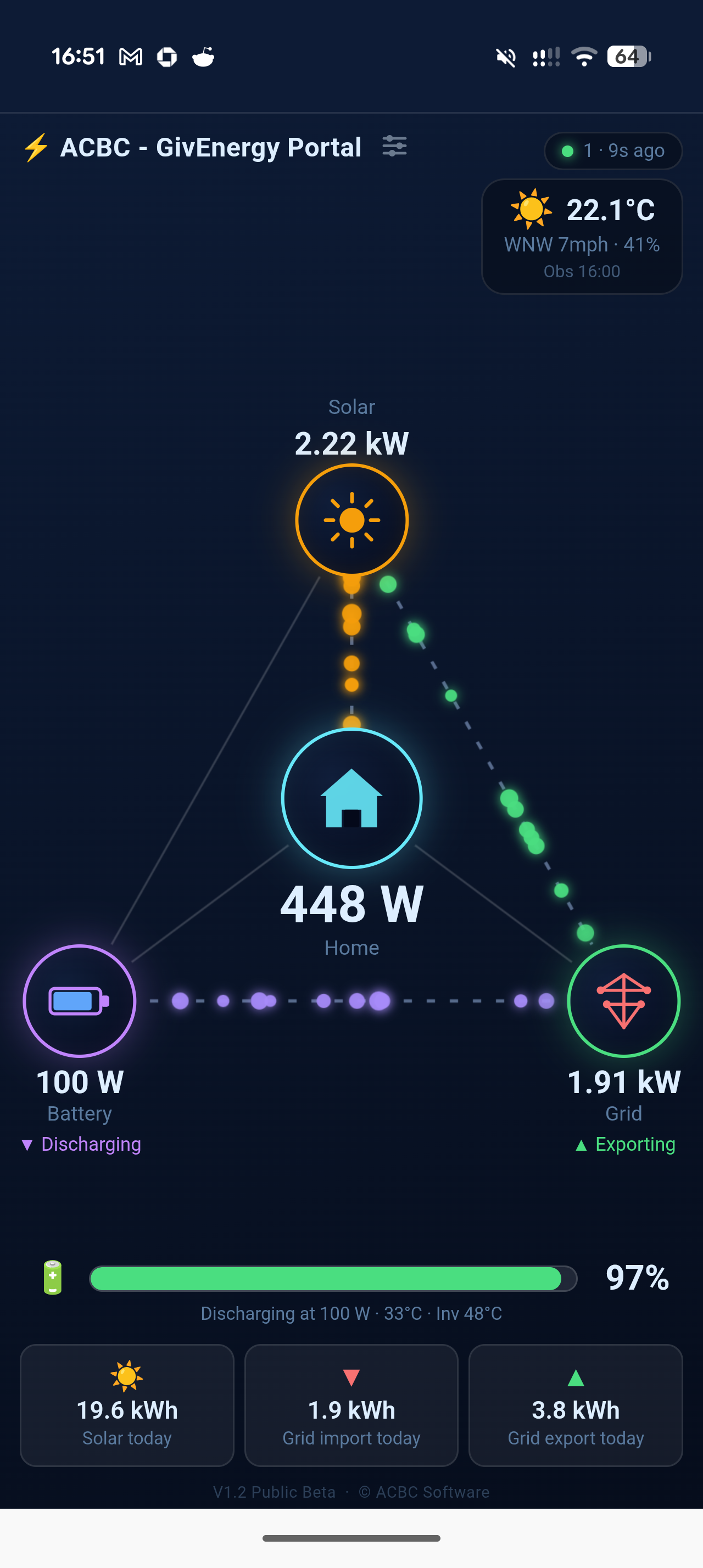
Animated particle flows show power moving between solar, battery, home and grid in real time.
Inverter control
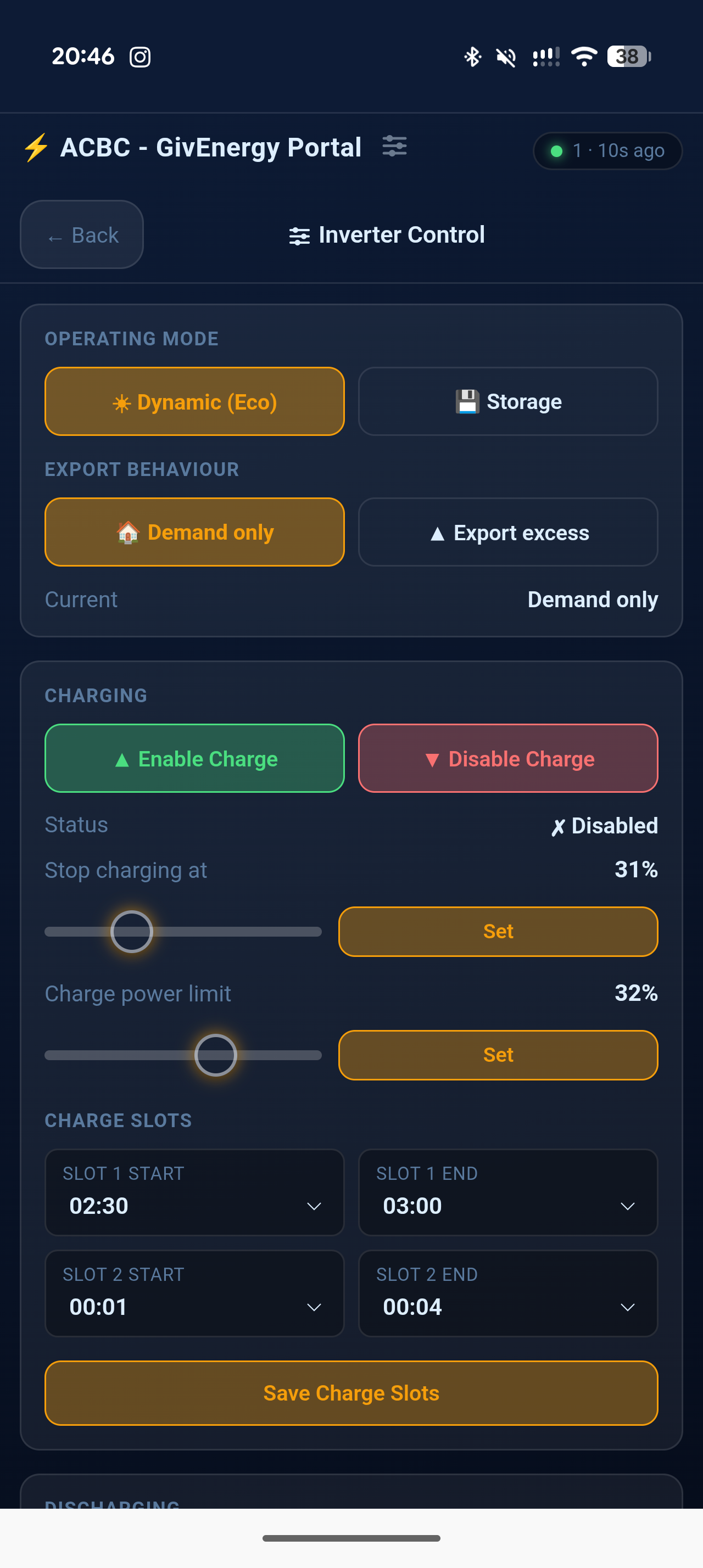
Set operating modes, enable/disable charging, edit charge & discharge slots, set SOC targets and power limits — all from the app.
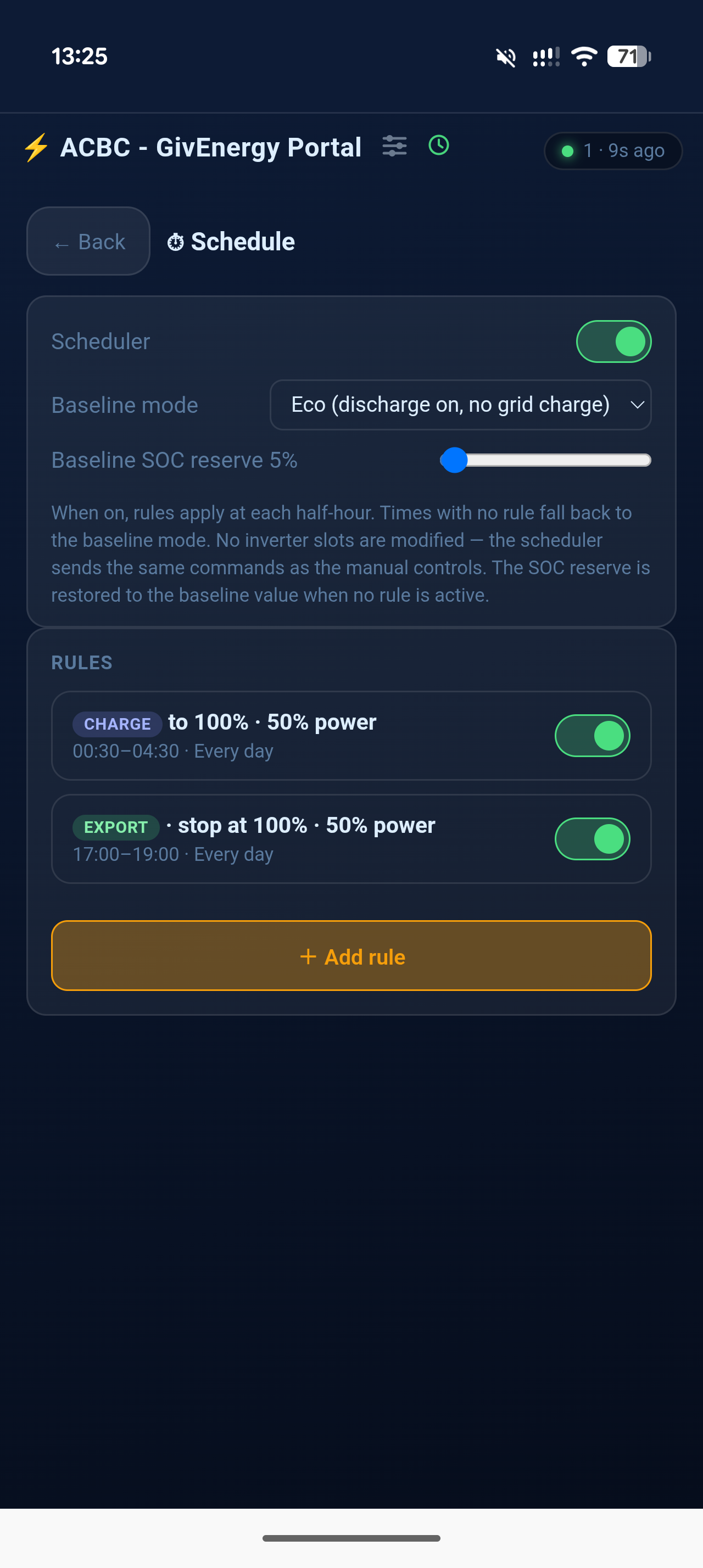
App-held scheduler
Build timed charge, export and hold rules right in the dashboard — no GivEnergy cloud account needed. The app holds the schedule and drives the inverter itself.
Predictive overnight charging
Opt in on a charge schedule and the app sets your overnight charge target automatically — from tomorrow's solar forecast and your typical morning use, so you leave room for free solar instead of importing a full charge.
Plug-in solar aware
A plug-in (balcony) solar kit feeds in past your inverter's grid sensor, so your inverter cannot see it — its output just makes the house look like it is using less. Connect an EcoFlow STREAM and the dashboard reads what it is really producing and adds it back on to Home and Solar.
Quick Actions
One tap to force grid charging or battery export for an hour — no scheduler setup needed. Appears on the home screen and works alongside your existing schedule.
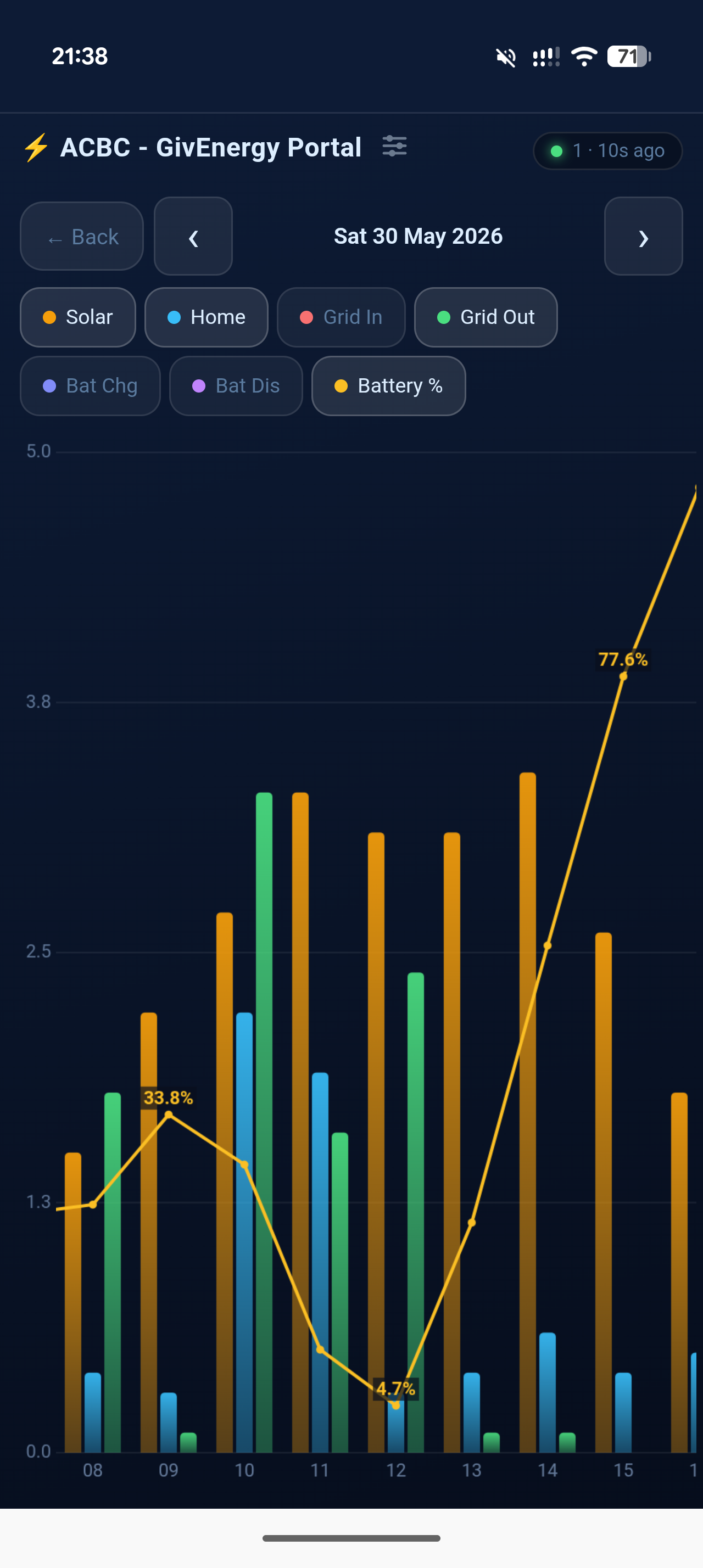
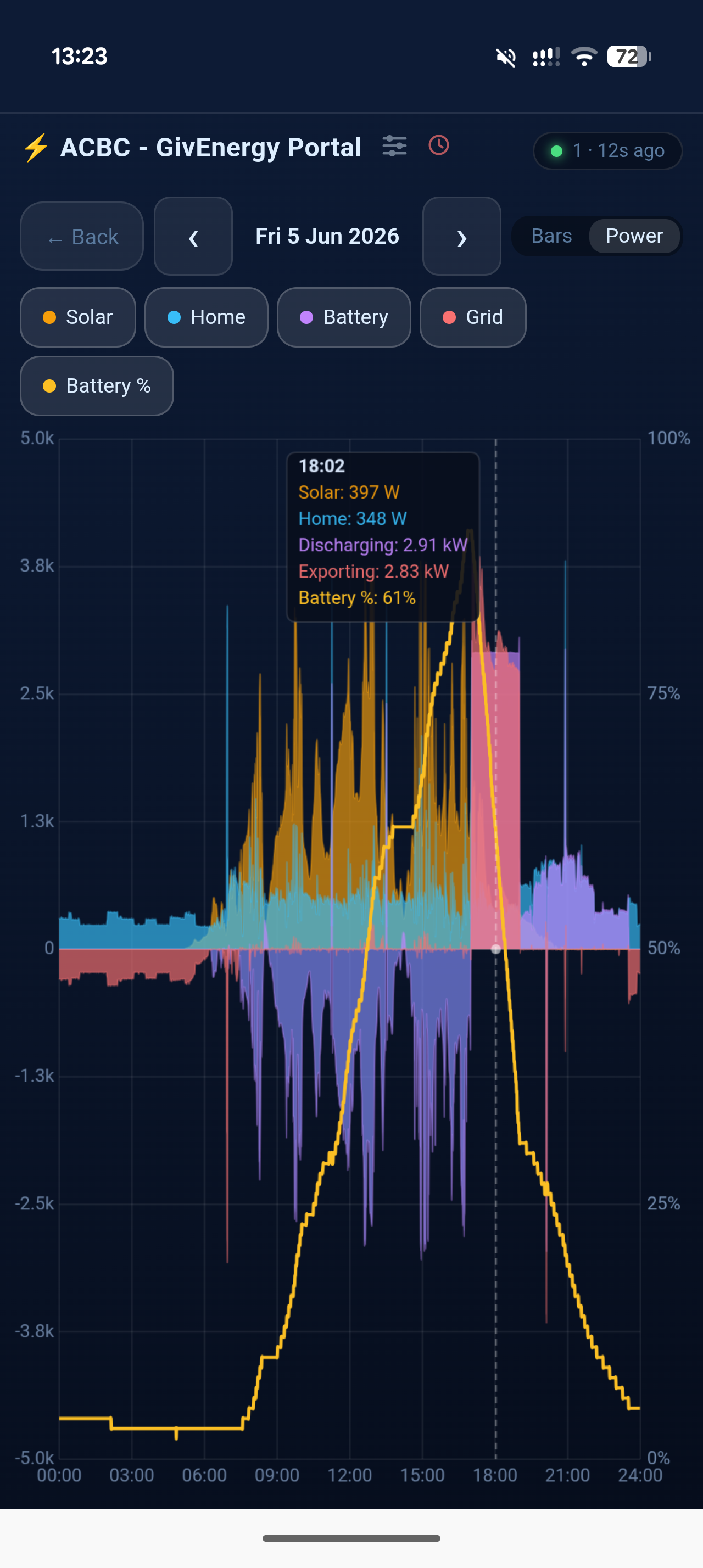
Daily power chart
A signed power graph in watts across the whole day — pinch to zoom, drag to pan, and scrub a crosshair for exact figures at any moment. Grid voltage and frequency can be overlaid, which is what shows you why an export quietly tailed off.
History charts
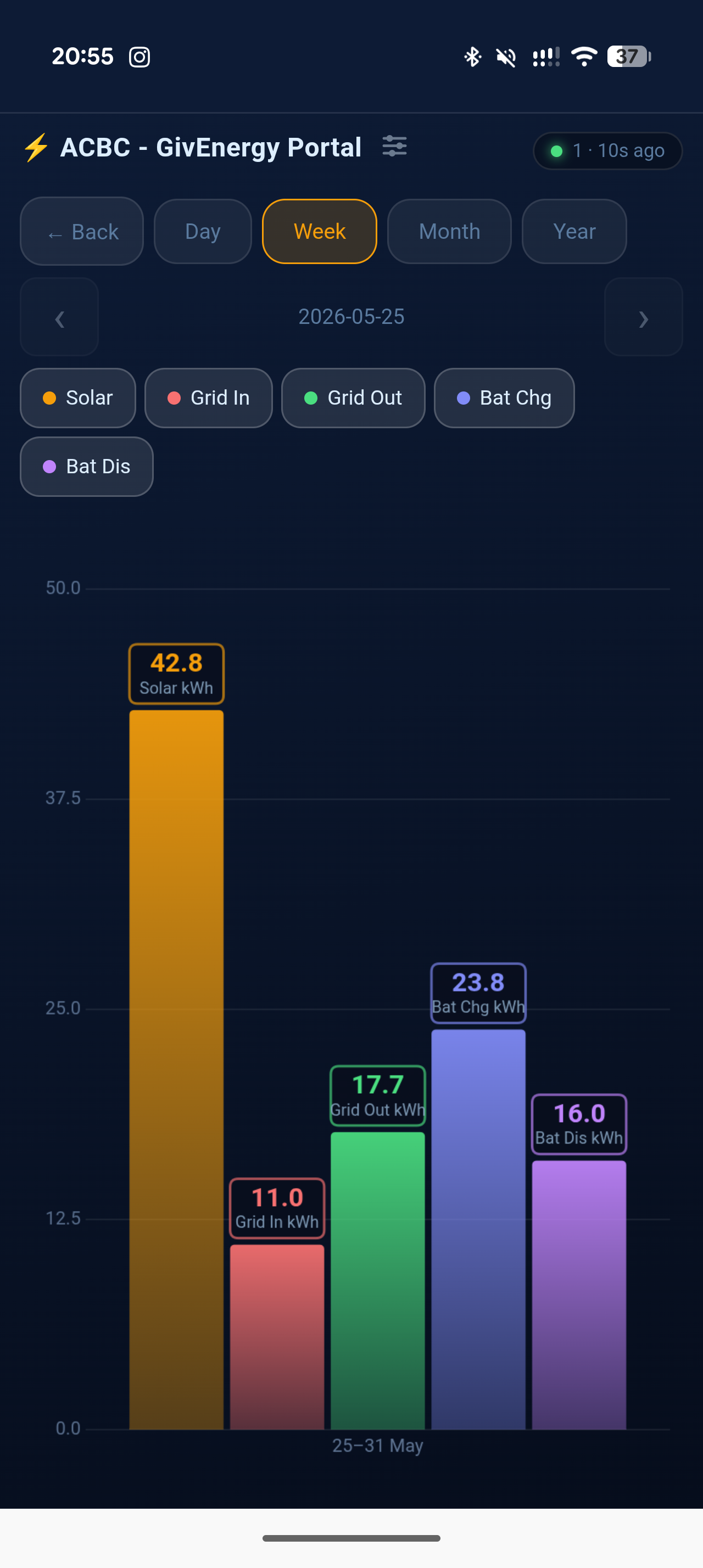
Daily, weekly, monthly and yearly bar charts for solar, grid import/export and battery.
Year in Review
Your year's highlights on one page — best and worst days for solar, export and import, a carbon-offset badge, and an estimated annual cost and solar/battery savings projection built from your real data.
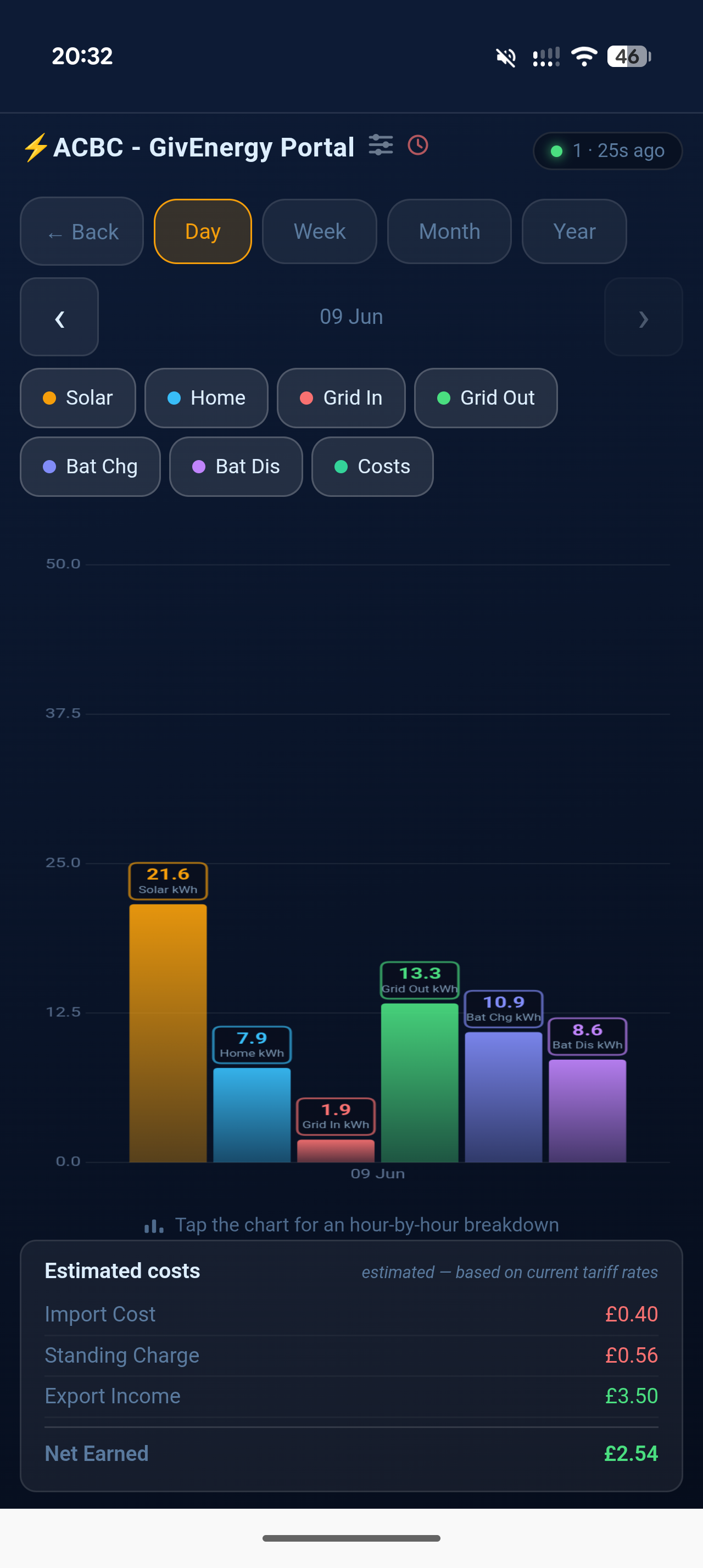
Energy cost tracking
Configure your tariff — flat rate, time-of-use, or auto-fetched Octopus/EDF — and get daily import cost, export income and net earned figures straight from your history.
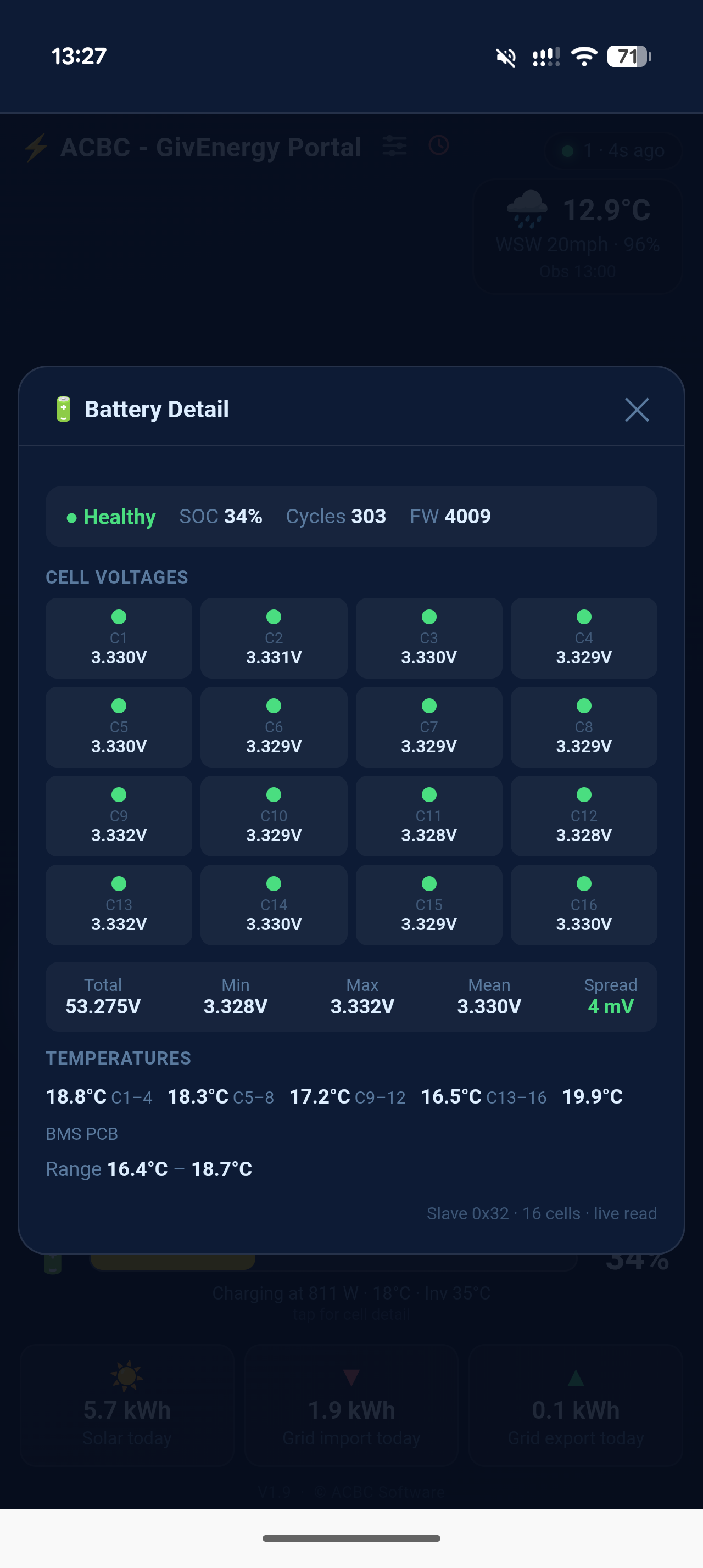
Battery cell detail
Tap the battery for per-cell voltages, group temperatures, cycle count and health — the detail the cloud app hides.
Activity log
Every control command and inverter status change is logged with a timestamp — a local audit trail the cloud doesn't give you.
Progressive Web App
Add to your phone's home screen and it opens full-screen, just like a native app. iPhone and Android.
Weather widget
Optional live Met Office observations — temperature, wind and humidity alongside your energy data.
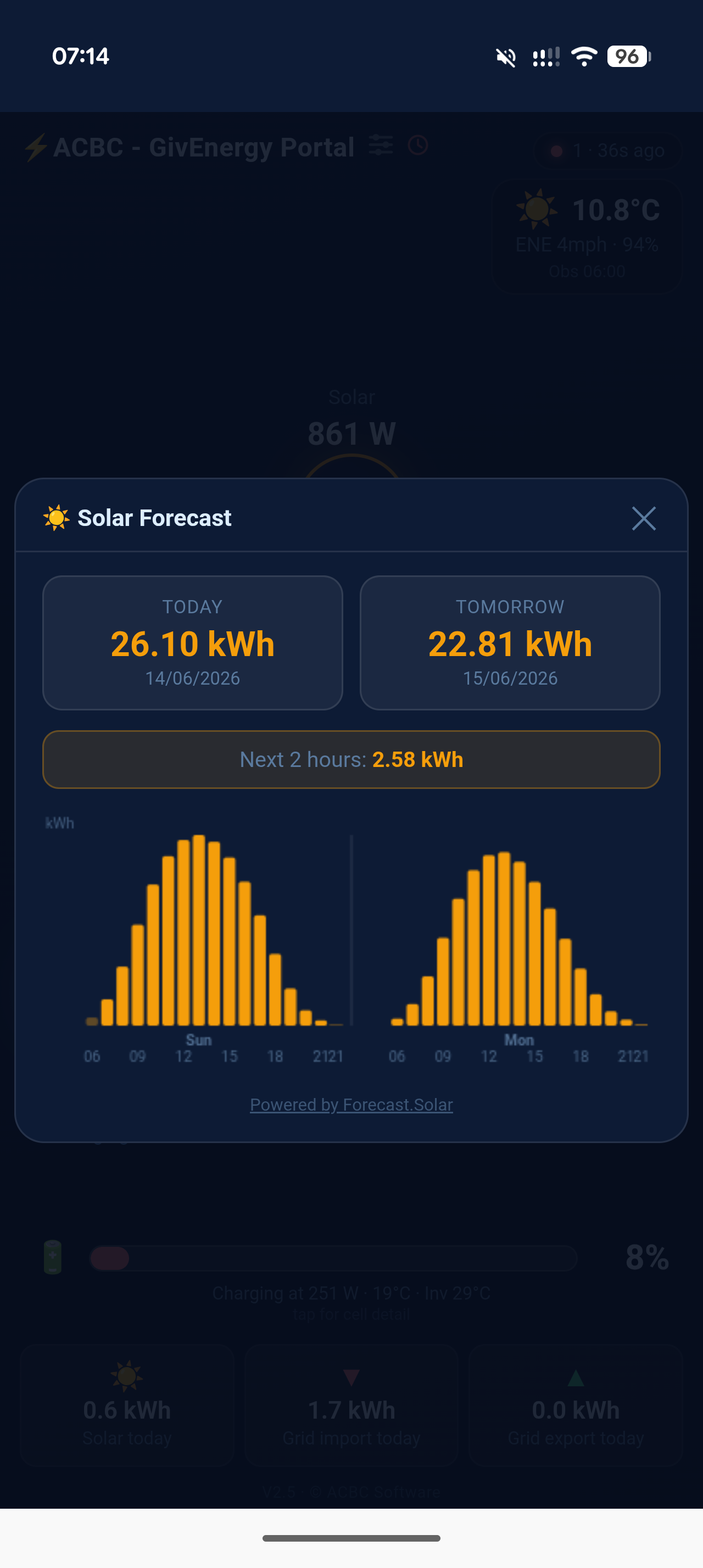
Solar forecast
2-day hourly solar generation forecast powered by Forecast.Solar. See today and tomorrow's expected kWh with an hourly bar chart — no extra subscription needed.
Password protected
Settings and control are guarded by an admin password you set — safe to expose on your network.
Fully local
Connects directly to your inverter via Modbus TCP. Nothing leaves your network unless you choose to expose it.
Docker ready
Run it in a container on a Raspberry Pi, PC or NAS — one docker compose up, multi-arch images, and your settings and history persist safely across updates.
GivEnergy inverter
Works with GivEnergy Hybrid Inverter Gen 2 / AC Coupled Inverter (e.g. GIV-AC3.0), Hybrid Inverter Gen 3 / HV, and All in One / Gateway inverters on your local network — the dashboard detects yours automatically. Live monitoring on all models; full control on single-phase hybrid and AC-coupled inverters.
A computer on the same network
Windows 10/11, macOS, a Raspberry Pi, or any Linux machine that can reach the inverter. Runs happily on a Pi Zero 2W.
Python 3.9+
The Windows installer handles this for you. macOS and Linux ship with a compatible Python on all modern versions.
Pick your platform and you'll be up and running in minutes.
Enjoying the free software?
Buy me a RedBull and help keep the late-night coding alive. Thank you!

Hi, I'm Andi 👋
This all started because my wife couldn't see her solar history in the official app any more, and I couldn't stand how the monitoring screen looked on the tablet we use to display what's going on in the house. Two very reasonable complaints. One rabbit hole of a project.
It's been quite the learning curve — but with a lot of great community groundwork on Modbus, some AI assistance, and more late nights than I care to admit, my front-end skills finally got a back-end engine to match. We got the app we wanted, and then I thought: why not share it?
Since then, your requests and feedback have grown it from a simple monitor into a full control app — and I'll keep building it as long as I can. A genuine thank you to everyone who's helped test it, logged a bug, or suggested a feature. We may no longer have a warranty on these systems, but we can at least control them how we want.
Got an idea or found a bug? Open an issue on GitHub — every bit of feedback shapes what comes next.